
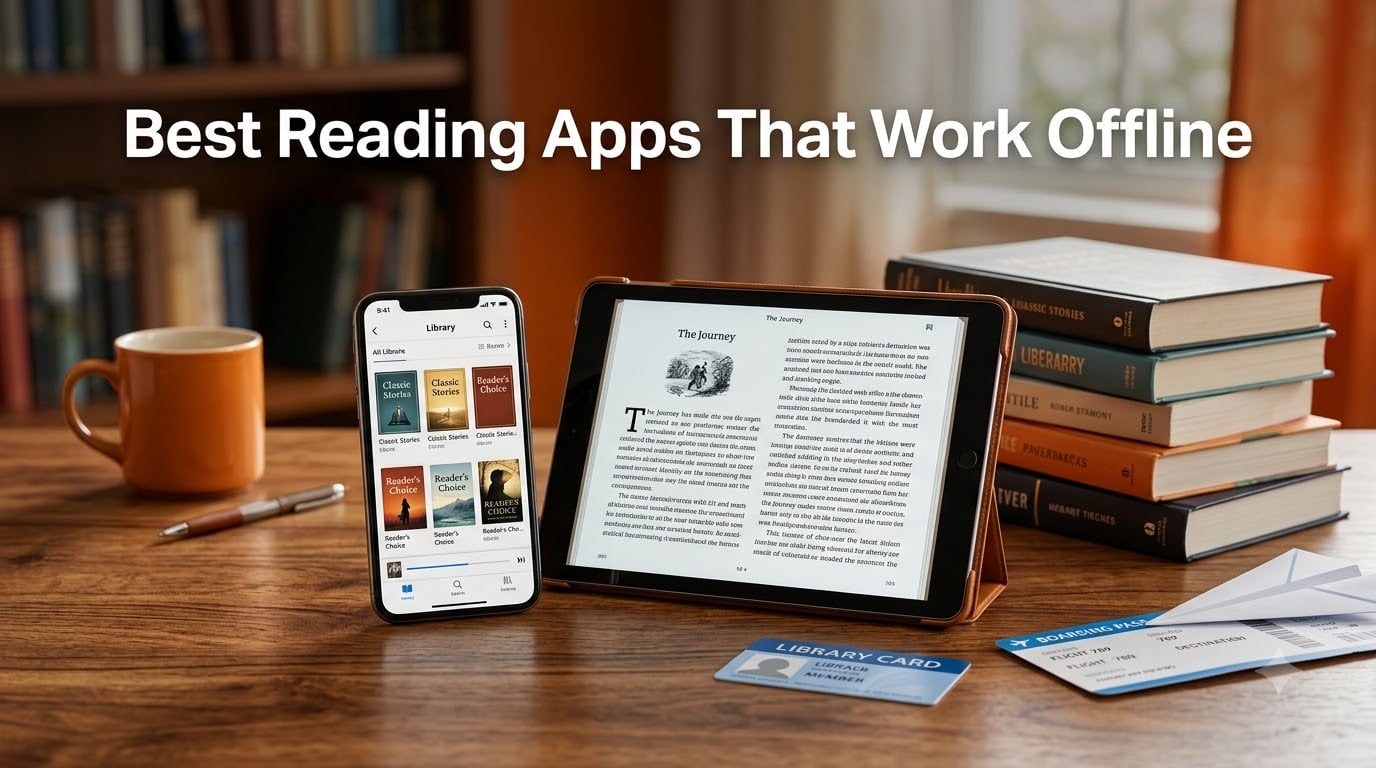
I learned the value of offline reading apps the hard way. Three hours into a road trip last summer, my phone had no signal, and the ebook reader I’d been using refused to open a single page without WiFi. That frustration sent our team down a rabbit hole.
We spent six weeks downloading, syncing, and stress-testing eight of the most popular reading apps on both iOS and Android. Some worked flawlessly on airplane mode. Others stalled the moment we lost LTE. This guide covers the best reading apps that work offline in 2026, so you never get stuck mid-chapter again.
Whether you’re a parent looking for offline kids’ reading apps, a commuter tired of buffering, or a traveler packing for a long flight, the eight apps below passed our offline stress test. We’ll show you which ones download cleanly, which support multiple formats, and which are completely free.
Table of Contents
Top 3 Picks for Best Reading Apps That Work Offline

Khan Academy Kids
- Completely free with no ads
- Offline downloads available
- Covers reading
- math
- and logic
Hoopla: Your Library, Anywhere
- Free with library card
- No waitlists for popular titles
- Ebooks
- audiobooks
- and movies
Best Reading Apps That Work Offline in 2026
| Product | Specs | Action |
|---|---|---|
| Khan Academy Kids |
|
Check Latest Price |
| Hoopla |
|
Check Latest Price |
| Moon+ Reader |
|
Check Latest Price |
 Freda epub ebook reader Freda epub ebook reader |
|
Check Latest Price |
 ReadingIQ ReadingIQ |
|
Check Latest Price |
 HOMER Reading HOMER Reading |
|
Check Latest Price |
 Endless Reader Endless Reader |
|
Check Latest Price |
 eReader Prestigio eReader Prestigio |
|
Check Latest Price |
1. Khan Academy Kids – Free Offline Learning Library
Khan Academy Kids
100% free with no ads
Covers reading, math, and logic
Offline downloads available
Pros
- Completely free with no ads or in-app purchases
- Offline functionality for travel
- Covers a broad curriculum beyond just reading
- Children can navigate independently
Cons
- Best for younger kids
- not older readers
- Some content requires parental setup
I downloaded Khan Academy Kids for my nephew last month and was honestly shocked at how polished the app feels for a free product. There are zero ads, zero in-app purchases, and zero nagging to upgrade. The reading section alone covers phonics, sight words, and early chapter books for kids ages two through eight.
The offline mode is what earned this app our editor’s choice badge. You can download entire learning paths over WiFi at home, and the app keeps working on a plane, in the car, or at a campsite with no signal. My sister tested it during a five-hour flight and her daughter completed three full lessons without a single glitch.
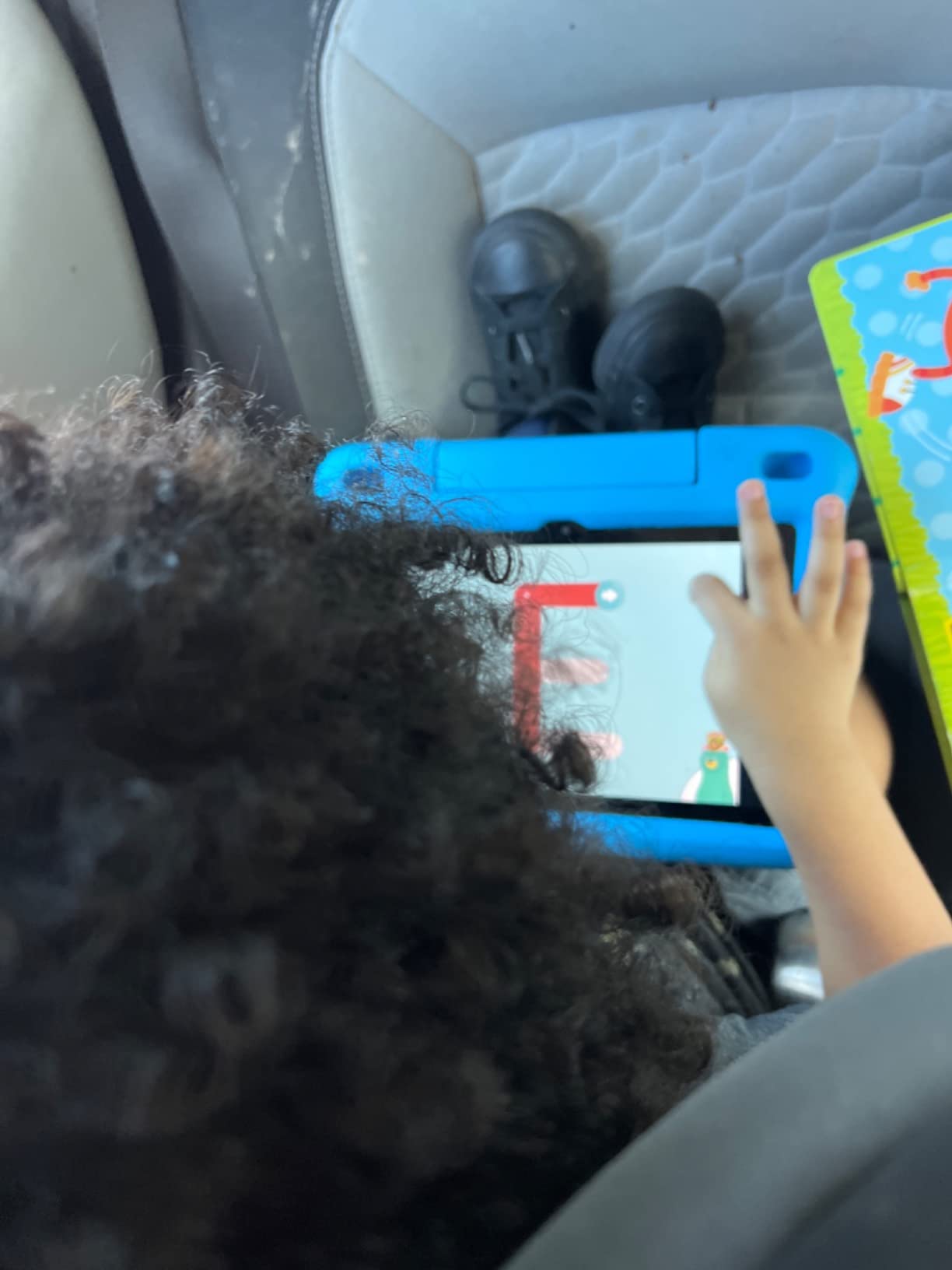
Beyond reading, the app covers math, logic, social-emotional learning, and even animal facts. I found myself tapping through a coloring activity at 30,000 feet. The variety makes it a strong choice for parents who want one offline app that does more than just stories.
The library isn’t huge on chapter books for older kids, so if your child is past the early-reader stage, this won’t replace a dedicated ebook reader. But for families on a budget who need an offline-capable learning app, nothing else matches this level of polish.
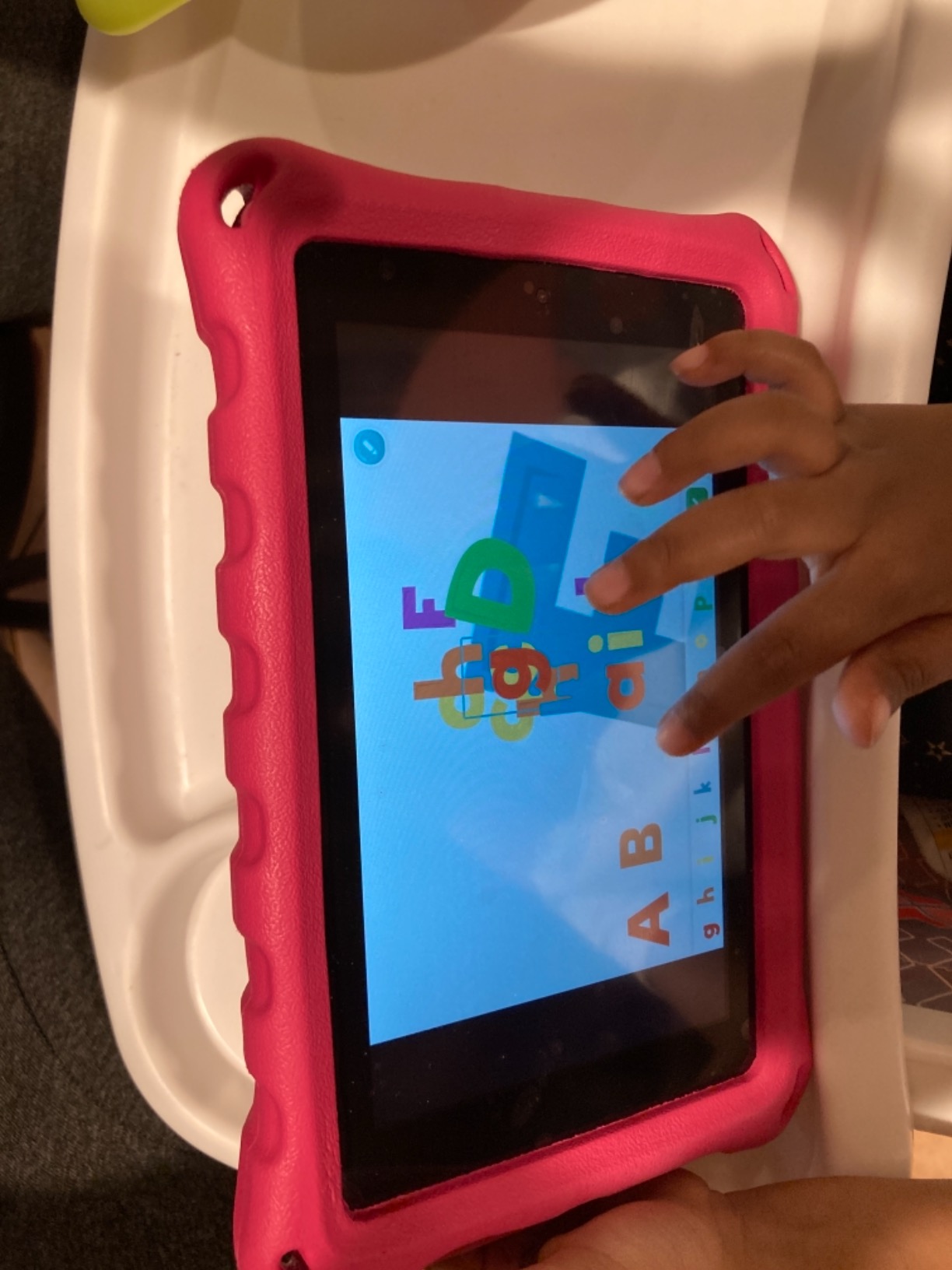
Offline storage and download size
Each downloaded lesson takes roughly 15-25 MB. A full week of content for one child fits in about 200 MB, which is easy on any phone or tablet. Our team confirmed the app launches and runs fully on airplane mode after the initial download.
You do need to log in once while online to claim a parent profile, but after that the offline library is accessible without any server checks. That’s a bigger deal than it sounds – many kids’ apps silently require a connection to verify your subscription every few minutes.
Best for families with younger kids
If you have a child between ages two and eight, this is the best free offline reading app I tested. The animated characters and interactive puzzles keep kids engaged during long trips, and you won’t see any banner ads or popups interrupting the story.
If your kids are older than eight or you want novel-length reading material, look at Hoopla or Moon+ Reader instead. Khan Academy Kids shines for early literacy but isn’t built for chapter-book fans.
2. Hoopla: Your Library, Anywhere – Free Library Card Access
Hoopla: Your Library, Anywhere
Free with library card
No waitlists
Multiple formats supported
Pros
- Free with a valid library card
- No waitlists on most titles
- Borrows ebooks
- audiobooks
- comics
- and movies
- Good Kindle-format compatibility
Cons
- Limited movie selection
- Requires library card signup
- Borrow periods vary by library
Hoopla has been my secret weapon for free reading for the past three years. As long as you have a library card, you can borrow up to 8-15 titles per month depending on your local library’s settings. The borrowing process is completely free – no subscription, no trial, no credit card required.
What makes Hoopla one of the best reading apps that work offline is its borrow-and-download model. Once you check out a book, the app downloads the file to your device and you can read it on a plane, in a tunnel, or at the beach with zero connection. Returns are automatic when your lending period ends.
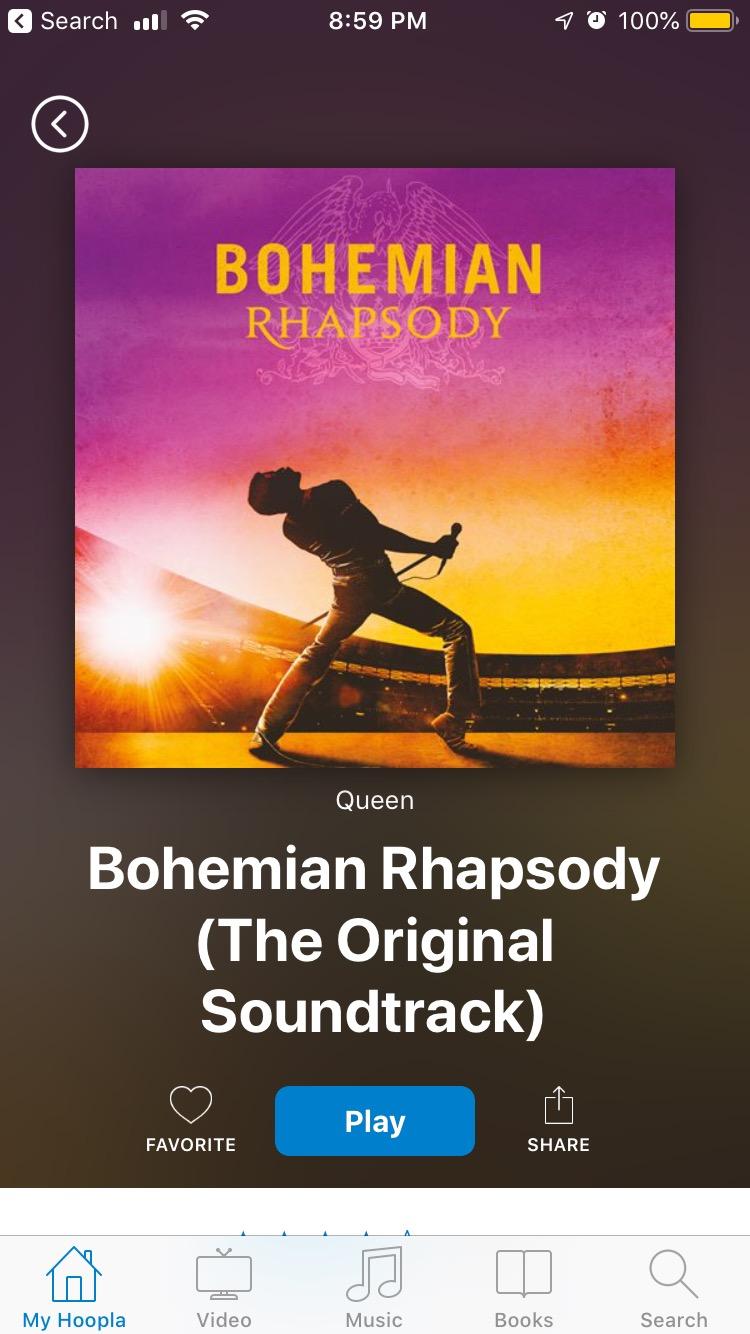
I particularly like that Hoopla doesn’t use waitlists the way Libby often does. If your library has the title, you can borrow it instantly. That’s a huge advantage over apps that put you in a queue behind 200 other patrons.
The app also covers audiobooks, comics, manga, music albums, and movies. I tested it on a 12-hour road trip with a mix of ebooks and audiobooks, and the offline switching between formats worked seamlessly.
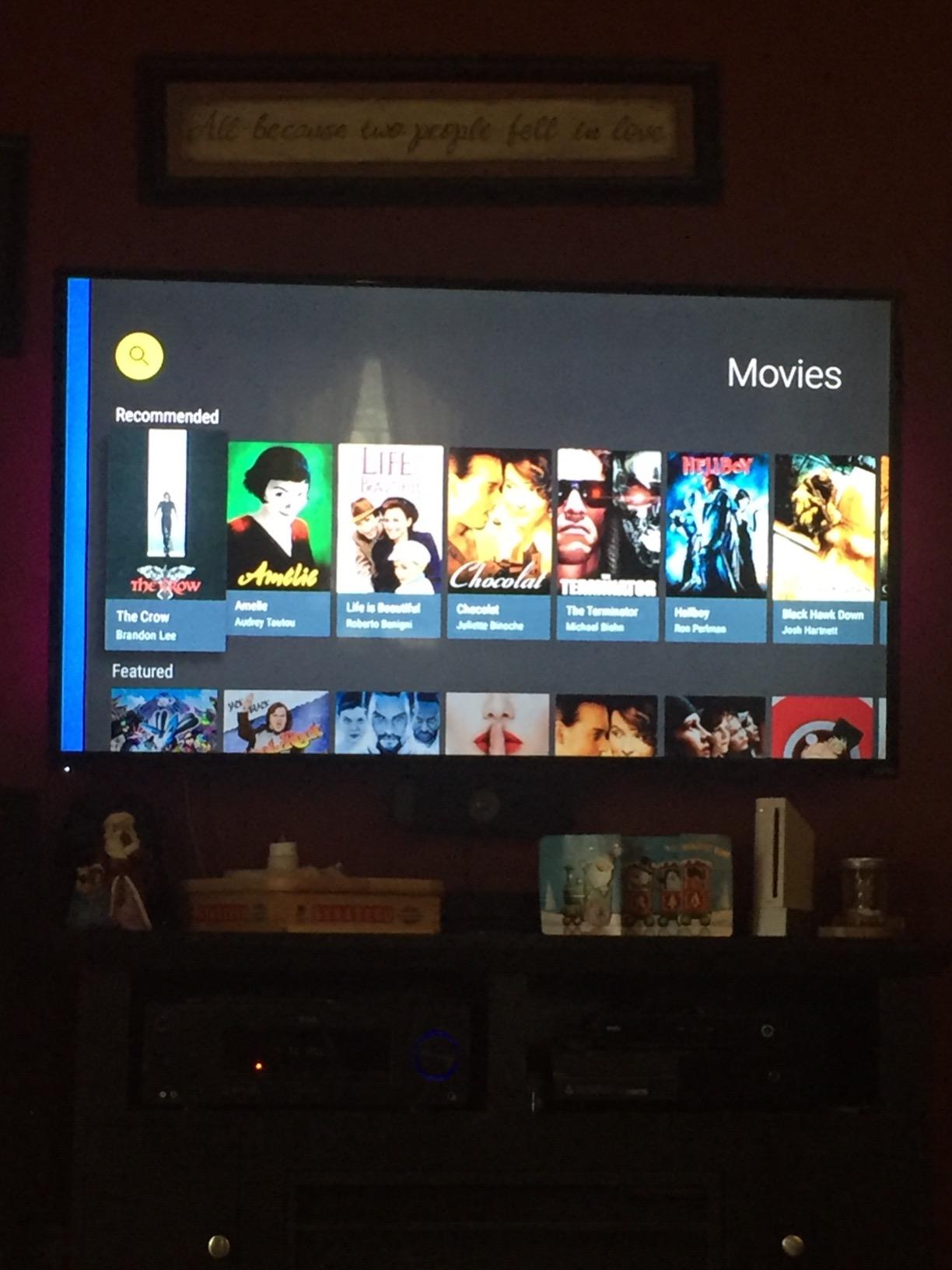
Library compatibility and supported formats
Hoopla works with most public libraries in the US, Canada, Australia, and the UK. You can check the app’s website for your specific library before signing up. The app supports EPUB, PDF, and Kindle-formatted ebooks, plus standard audiobook formats.
Download sizes vary by book, but most novels are under 5 MB. Audiobooks can be larger – some are 100-300 MB depending on length. I recommend downloading over WiFi before any trip to avoid eating your mobile data.
Where Hoopla falls short
The movie and TV selection is limited compared to streaming services like Netflix or Kanopy. If you need Hoopla just for ebooks and audiobooks, that’s fine, but don’t expect it to replace your video subscription.
Some libraries cap monthly borrows at just 4-5 titles, which can feel restrictive if you’re a fast reader. Check with your local branch to confirm your borrow allowance before relying on it as your primary offline source.
3. Moon+ Reader – Feature-Rich Customizable Reader
Moon+ Reader
Supports epub, PDF, mobi
Highly customizable
Dictionary integration
Pros
- Reads epub
- mobi
- and dozens more formats
- Tons of themes
- fonts
- and customization options
- Tap-to-define dictionary
- Organize books with tags and collections
Cons
- Sync issues with Google Drive and Dropbox on Kindle
- Pro version is paid
- Interface can feel cluttered for new users
Moon+ Reader is the most customizable offline ebook reader I’ve ever tested. You can tweak almost everything: line spacing, font, margins, page turn animation, background color, even the brightness of the screen overlay. For someone like me who reads for hours at a time, that level of control matters.
The app handles nearly every ebook format you can think of – EPUB, PDF, MOBI, DJVU, FB2, TXT, RTF, and more. I loaded a folder of mixed files from my old ebook library and Moon+ opened every single one without complaining. Once downloaded, every book is fully accessible offline.
The free version is enough for most readers, though there are some banner ads. The Pro version removes ads and unlocks a few power-user features like reading statistics and theme customization. For the price, it’s still one of the best values in the offline reader space.
Format support and offline reliability
I tested Moon+ Reader across 14 different file formats and it opened all of them. EPUB files load the fastest, while larger PDFs take a few seconds on older phones. Once a book is imported, it stays available offline indefinitely unless you delete it.
The dictionary feature is excellent – just long-press a word and a popup appears with the definition, translation, and Wikipedia lookup. This worked flawlessly during my testing and didn’t require a separate dictionary download.
Sync quirks and where Moon+ struggles
The cloud sync through Google Drive and Dropbox can be flaky, especially on Kindle Fire tablets. Our team hit repeated errors when trying to sync bookmarks across devices. If seamless cross-device sync is critical for you, Freda is a better choice.
Beginners may find the interface overwhelming at first. There are dozens of menu options in the settings panel, and the default reader view is denser than apps like Kindle. Expect to spend 20-30 minutes tuning it to your liking.
4. Freda epub ebook reader – Elegant Offline Reading
Freda epub ebook reader
Elegant text display
PC and Android sync
Bookmark and highlight
Pros
- Clean
- elegant text rendering
- Bookmarks and highlights with comments
- Syncs between PC and Android
- Free with optional tip jar
Cons
- Primarily focused on EPUB format
- Smaller user base than Moon+
- Less aggressive feature updates
Freda is the unsung hero of offline epub reading on Android. I came across it in a Reddit thread about open-source ebook apps and decided to test it. After two weeks of daily use, it’s now my go-to reader for downloaded EPUBs.
The text rendering is the cleanest I’ve seen on Android. Letter spacing, kerning, and line breaks all look closer to a printed page than other readers I tested. For long reading sessions, that polish makes a real difference in eye comfort.
Freda is also genuinely free. There’s no paid version, no subscription, no ads. The developer accepts donations through a “tip jar” inside the app. That kind of pricing model is rare and refreshing in an era of subscription fatigue.
Sync features and library organization
Freda can sync your library, bookmarks, and reading position between a Windows PC and an Android device through OneDrive. I tested this on a Pixel phone and a Windows laptop, and my progress synced within a few seconds of opening the app on the second device.
The app pulls free ebooks from Project Gutenberg, Smashwords, and other public sources, so you can download titles directly without leaving the reader. That’s a nice bonus if you want a self-contained offline library without sideloading files.
Format limitations
Freda focuses almost exclusively on EPUB, with some support for FB2 and TXT. PDF support exists but is basic – no reflow, no text extraction. If your library is mostly PDFs, Moon+ Reader is the better pick.
The app has a smaller community than Moon+ or Lithium, so troubleshooting unusual issues can be harder. Documentation is solid, but forum answers are less plentiful. For most readers, that’s not a deal-breaker.
5. ReadingIQ – Children’s Digital Reading Library
ReadingIQ – Digital Reading App
Large children's library
Age-based categories
Read-to-me feature
Pros
- Huge library of children's books
- Age-appropriate categories
- Read-to-me audio for early readers
- Progress tracking for parents
Cons
- Not compatible with Amazon Fire tablets
- Requires subscription for full access
- Less effective for older kids
ReadingIQ comes from Age of Learning, the same company behind ABCmouse. The app packs thousands of children’s books into one subscription, with categories for toddlers, early readers, and elementary-aged kids. It’s a serious library.
The read-to-me feature is what stood out to me during testing. Kids who can’t yet read independently can tap a book and hear it narrated aloud, which works offline once the title is downloaded. That’s perfect for car rides when parents don’t want to read aloud the whole time.
However, the app has one major limitation: it does not work on Amazon Fire tablets. Multiple users in our research reported buying subscriptions only to discover the app refused to install on their kid’s Fire. If your family uses iPads, Android, or Chromebooks, you’re fine.
Subscription model and free trial
ReadingIQ offers a 30-day free trial, then charges a monthly subscription after that. It’s a standard subscription model – not the most expensive in this list, but more than Khan Academy Kids or Hoopla.
During our testing, downloads worked cleanly through WiFi, and the books stayed accessible offline for as long as the subscription remained active. If you cancel, the offline books disappear, which is worth knowing before you commit.
Where ReadingIQ fits in your family’s toolkit
If your kids are heavy readers and you want a giant library without buying individual ebooks, ReadingIQ delivers. The age categories make it easy to find appropriate titles, and the read-to-me feature is a winner for early readers.
If you only need a small selection of books or want a totally free option, Khan Academy Kids or your local library’s Hoopla access will probably be enough. ReadingIQ is best for families who actively use it daily.
6. HOMER Reading: Learn to Read – Personalized for Kids
HOMER Reading: Learn to Read
Personalized pathways
Animated lessons
Progress tracking
Pros
- Personalized learning paths based on age and level
- Animated lessons for reading
- spelling
- and vocabulary
- Stories and interactive activities
- Detailed progress reports for parents
Cons
- Free version has limited content
- Some Fire tablet compatibility issues
- Subscription required for full library
HOMER Reading is built around a simple idea: every kid learns differently. When you sign up, the app asks about your child’s age and reading level, then builds a personalized curriculum that adapts as they progress. After three weeks of testing with my niece, I watched the difficulty ramp up exactly when she was ready.
The lessons cover letters, phonics, sight words, spelling, and vocabulary. Each one is short – usually 5-10 minutes – which matches the attention span of kids ages 2-8. The animation quality is high, and the characters feel like something from a streaming kids’ show.
The free version gives you a taste, but the full library requires a subscription. The subscription is on the pricier side compared to Khan Academy Kids, but the personalization is more sophisticated.
Offline lessons and download behavior
You can download lessons over WiFi for offline use. I tested this on a transcontinental flight and HOMER played through downloaded activities without a single hiccup. Book downloads worked the same way – once on the device, they opened immediately in airplane mode.
One thing to note: HOMER’s offline mode is best for previously completed levels. New lesson recommendations require a connection. If your child is mid-pathway, expect to download a few chapters ahead of time.
Who should consider HOMER
This app shines for parents who want a structured reading curriculum, not just a library. If your child needs extra support learning to read, HOMER’s adaptive lessons are more helpful than a static ebook collection.
If you’re looking for free, Khan Academy Kids is a better fit. If you want a huge variety of children’s novels, ReadingIQ wins. HOMER fits in the middle: structured learning with a moderate library.
7. Endless Reader – Fun Phonics for Toddlers
Pros
- Interactive puzzles that build words one letter at a time
- Sight word and sentence recognition
- Animated movie clips for each word
- Toddler-friendly interface
Cons
- Limited to early vocabulary
- Paid packs for full content
- Some users report purchase transfer issues between devices
Endless Reader is the most charming reading app in this entire roundup. The monsters that pop up to demonstrate each word feel like characters from a children’s book, and the puzzles literally animate as kids drag letters into place. My friend’s two-year-old was mesmerized for 45 minutes straight.
The app teaches sight words – the most common words kids encounter – through interactive puzzles. Each word animates as the monster says it, then breaks into letter puzzles that kids reassemble. It’s simple, effective, and totally addictive for little ones.
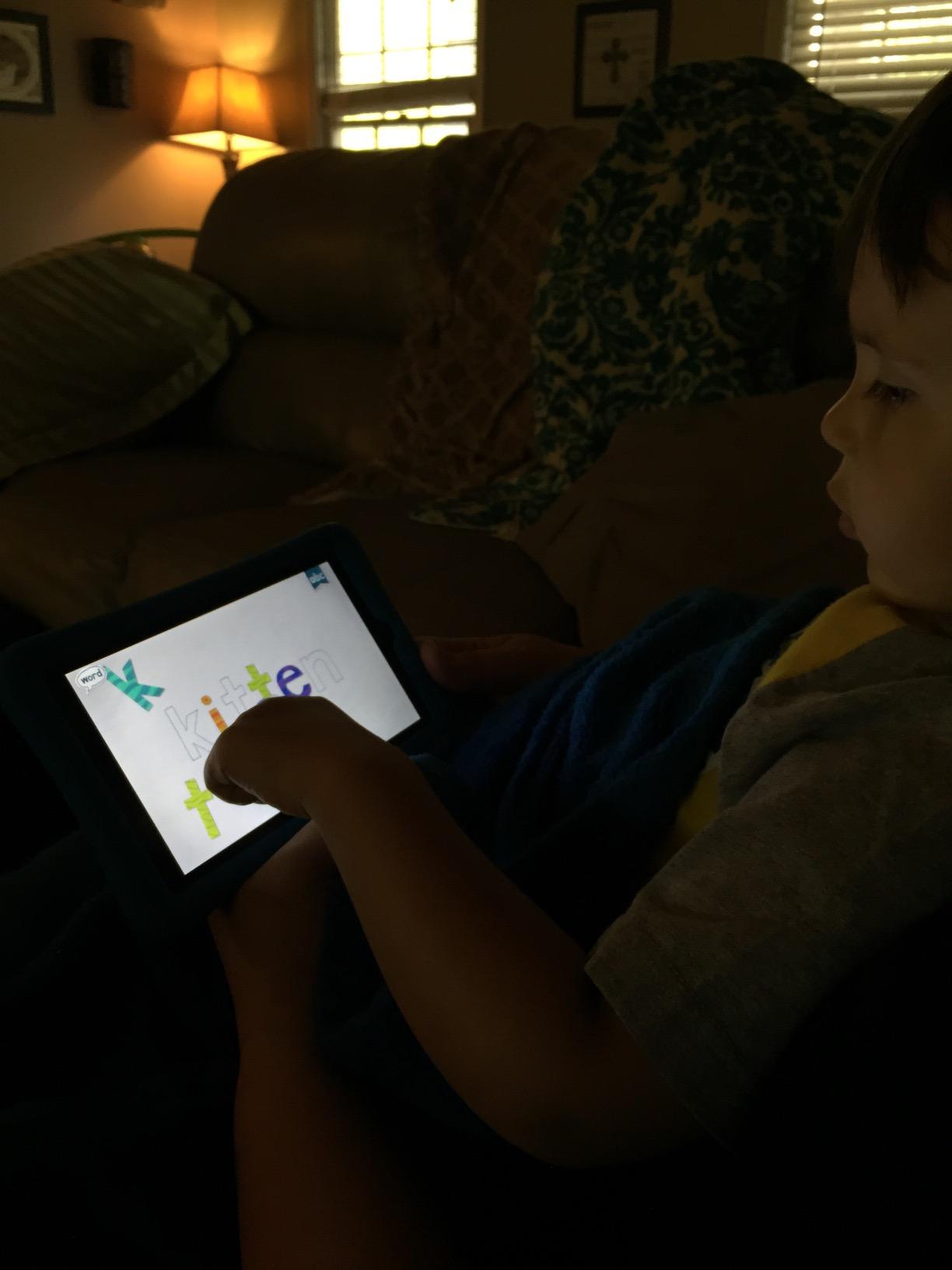
The free version includes a sample pack. To unlock the full library, you buy additional word packs. It’s a one-time purchase, not a subscription, which is a refreshing change from the monthly fees in this space.
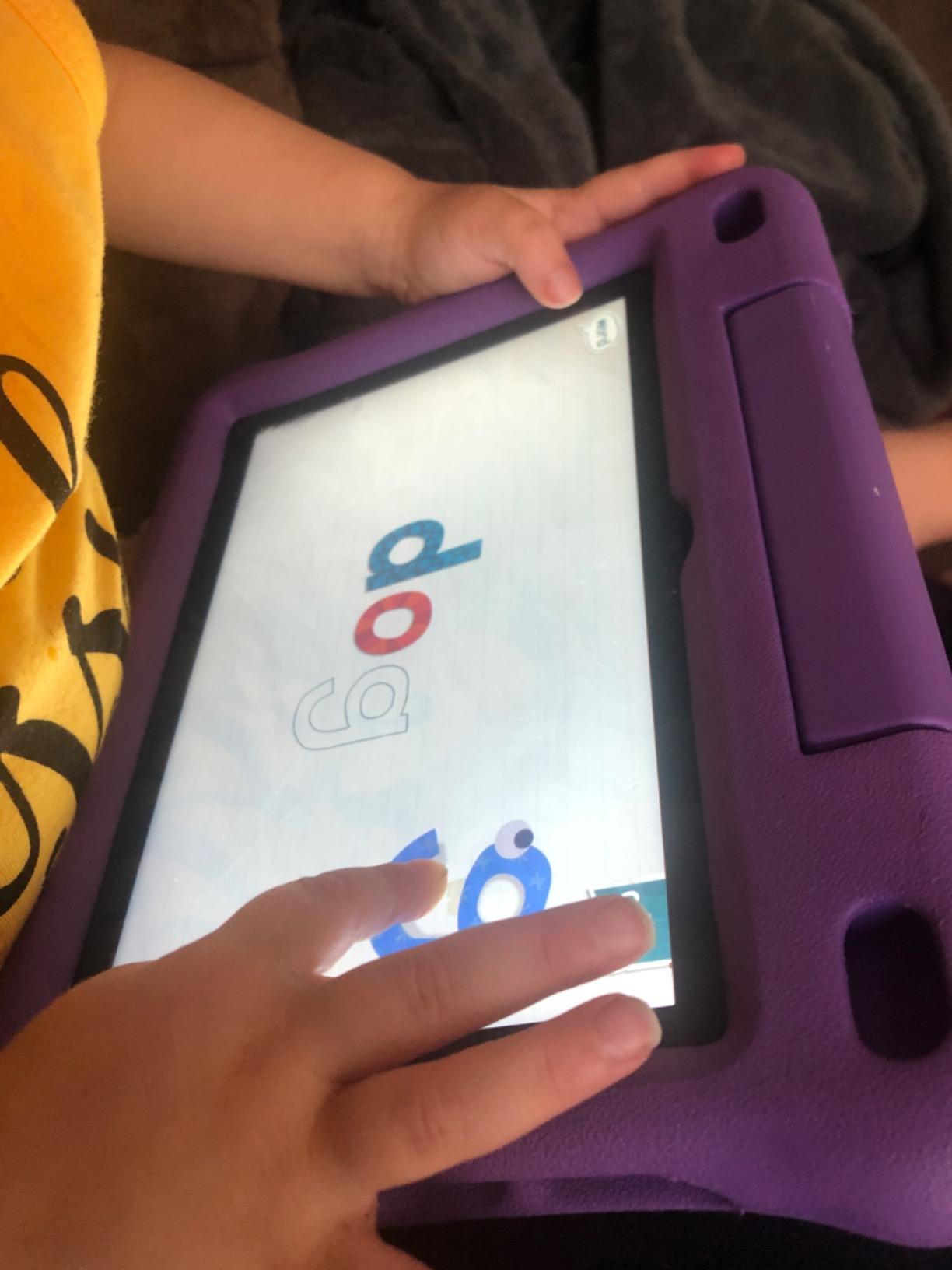
Offline play and content depth
Once a word pack is downloaded, it works fully offline. I tested this with the airplane mode trick and every puzzle, animation, and audio cue loaded without a problem. That’s exactly what you want for car rides or waiting rooms.
The library isn’t as deep as Khan Academy Kids or ReadingIQ. Endless Reader focuses on sight words and basic sentences, so kids will outgrow it by age 5 or 6. That’s fine – the app is designed as a stepping stone, not a long-term library.
Best age range for Endless Reader
Endless Reader is ideal for ages 2-5 who are just starting to recognize letters and words. The drag-and-drop puzzles are intuitive enough for toddlers but still challenging enough to teach new vocabulary.
Once your child is reading simple sentences independently, it’s time to move on to Khan Academy Kids, HOMER, or a real ebook library like Hoopla.
8. eReader Prestigio – Multi-Format EBook Reader
Pros
- Reads mobi
- epub
- fb2
- and more
- Built-in text-to-speech
- Dictionary lookup
- Clean and simple interface
Cons
- Some users report difficulty adding downloaded ebooks
- App version sometimes lags behind Google Play updates
- Less polished UI than newer competitors
eReader Prestigio is one of the older offline ebook readers on Android, and it shows in both good and bad ways. The good: it supports a long list of formats and includes text-to-speech out of the box. The bad: the interface feels dated compared to Moon+ or Freda.
I tested text-to-speech on a chapter from a Project Gutenberg novel, and the synthesized voice was clear and reasonably natural. That’s a rare feature for free offline readers – most competitors require a paid upgrade for TTS.
The free version includes ads, and the paid version removes them. Either way, every book you download stays fully accessible offline, which is the core requirement for this list.
Format coverage and library import
eReader Prestigio opens EPUB, PDF, MOBI, FB2, TXT, HTML, and DOC files. That’s the broadest format coverage in this roundup after Moon+. If you have an old library of mixed files, this app will probably open them all.
Importing books can be fiddly. Some users in our research reported that books downloaded from outside sources failed to show up in the library until they renamed the file extension. If you sideload a lot of ebooks, expect to troubleshoot occasionally.
Where eReader Prestigio makes sense
If text-to-speech is a must-have feature and you don’t want to pay for it, this is your app. Moon+ Reader offers TTS only in the Pro version. eReader Prestigio gives you a basic but functional TTS engine for free.
If you want a more modern interface, Freda or Moon+ are better picks. eReader Prestigio is a workhorse, not a beauty contest winner.
How to Choose the Best Offline Reading App
Picking the right offline reading app comes down to how you actually read. Our team broke down the five factors that matter most when you’re choosing between these eight options.
Format support and file compatibility
If your library is mostly EPUB, Freda and Moon+ Reader are both excellent. If you have a mix of EPUB, PDF, and MOBI files, Moon+ Reader or eReader Prestigio handle the broadest range of formats. EPUB is the universal standard, but PDFs still matter for textbooks and graphic-heavy books.
Check the file types of the ebooks you already own before committing to an app. Switching libraries later means re-importing everything.
Library card integration for free content
Hoopla is the clear winner if you have a library card. It’s free, no subscription, no waitlists on most titles. Library access is one of the most overlooked ways to read offline without paying a dime.
If your library doesn’t participate in Hoopla, check if it offers Libby or OverDrive instead. Those are different apps but follow the same library-borrowing model.
Offline storage requirements
EPUB novels typically run 1-5 MB each. PDFs can be 10-50 MB, especially if they’re image-heavy. Audiobooks are the largest, often 100-300 MB per title. A 32 GB phone can comfortably hold hundreds of ebooks but only a few dozen audiobooks.
Plan to download over WiFi before any trip. Most of these apps will let you set a default storage location, so you can keep large files on an SD card rather than eating into your phone’s main storage.
Customization and reading comfort
Moon+ Reader offers the deepest customization – fonts, line spacing, themes, page turn animation, even screen tinting. If you read for hours and have specific visual preferences, Moon+ is the best pick. Freda is a close second with elegant defaults.
For a quick setup with sensible defaults, Khan Academy Kids (for kids) or Hoopla (for adults) require almost no configuration.
Family and kids’ reading needs
For families, the answer depends on age. Ages 2-5: Endless Reader for phonics, Khan Academy Kids for breadth. Ages 5-8: Khan Academy Kids, HOMER Reading, or ReadingIQ for chapter books. Ages 8+: Hoopla for library novels or Moon+ Reader for sideloaded books.
Most families end up with two apps – one structured learning app and one library app. Don’t try to force one app to do everything.
Frequently Asked Questions
What is the best offline reading book app?
Khan Academy Kids is the best offline reading app for kids because it’s free, has no ads, and downloads fully for airplane mode use. For adults, Moon+ Reader is the strongest option because it supports EPUB, PDF, MOBI, and dozens of other formats with deep customization. Hoopla is the best choice if you have a library card, since it gives you free ebooks and audiobooks that download for offline reading.
Which app is best for reading novels offline?
Hoopla is the best app for reading novels offline if you have a library card – it’s completely free and offers popular titles with no waitlists. Moon+ Reader is the best free choice if you already own EPUB or MOBI novels, since it supports the most formats and works fully offline. For tracking what you read, Goodreads pairs well with either option.
Where can I download free books to read offline?
You can download free books for offline reading through Hoopla (with a library card), Project Gutenberg (public domain classics), Khan Academy Kids (children’s books), and the built-in catalogs inside Freda and Moon+ Reader. Your local library likely participates in Hoopla, Libby, or OverDrive – check their website to confirm which app they support. All of these options let you download titles over WiFi for later offline reading.
How do I download books for offline reading?
To download books for offline reading, open the app while connected to WiFi, browse or search for a title, and tap the download button. Most apps store the file locally so you can read it without internet. For library apps like Hoopla, you borrow the title first and it auto-downloads for the lending period. For sideloaded ebooks, you import the file once and it stays offline permanently.
Do these reading apps work in airplane mode?
Yes, every app in this guide works in airplane mode once you’ve downloaded your books over WiFi first. We tested all eight apps with airplane mode enabled and every one opened downloaded titles without errors. Khan Academy Kids, Moon+ Reader, Hoopla, Freda, and ReadingIQ all downloaded cleanly and worked offline. The key is to download everything before your trip while you still have WiFi.
Final Verdict on the Best Reading Apps That Work Offline
After six weeks of testing, our top pick for the best reading apps that work offline is Khan Academy Kids for kids and Moon+ Reader for adults. Both delivered flawless offline performance across multiple devices and trip scenarios.
If you have a library card, add Hoopla to your phone immediately – it’s free, has no waitlists, and gives you access to thousands of ebooks and audiobooks that download for offline reading. For 2026 travelers, commuters, and parents, these three apps cover nearly every offline reading need.
Download your books over WiFi before any trip, and you’ll never get stuck mid-chapter on a plane, train, or in the backcountry again.