
When my daughter turned four, I spent three weekends downloading every reading app I could find. Some were pure gold, some lost her attention in under five minutes, and one made me feel like a terrible parent for the ad it showed between lessons. That chaos is exactly why I wrote this guide to the best reading apps for a 4-year-old, so you don’t have to wade through the same trial-and-error I did.
At age four, children sit at a critical literacy window. Their brains are primed for letter-sound connections, they are building vocabulary at an explosive rate, and they are finally able to sit through a structured 10 to 15 minute lesson. The best reading apps for 4-year-olds meet them right at that sweet spot with phonics instruction, interactive stories, and just enough gamification to keep little hands engaged. I tested each of these apps with a real four-year-old, watched how long her attention held, checked the parent dashboard, and rated the value. Here is everything I found.
Whether you are a homeschool parent, looking for kindergarten prep, or just trying to make screen time count, this list will help you choose. I have included free and paid options, included apps for reluctant readers and eager ones, and included guidance on how much daily screen time actually makes sense for a child this age.
Table of Contents
Top 3 Picks at a Glance

Khan Academy Kids
- Completely free
- No ads or in-app purchases
- Covers letters
- reading
- math
- science
ABCmouse Early Learning…
- Full preschool curriculum
- Reading plus math and art
- Reward system kids love
ABC Kids – Tracing &…
- 100% free with no ads
- Letter tracing and phonics
- Independent play for young kids
Best Reading Apps for a 4-Year-Old in 2026
| Product | Specs | Action |
|---|---|---|
| Khan Academy Kids |
|
Check Latest Price |
 HOMER Reading: Learn to Read HOMER Reading: Learn to Read |
|
Check Latest Price |
 Starfall Learn To Read Starfall Learn To Read |
|
Check Latest Price |
| ABCmouse Early Learning Academy |
|
Check Latest Price |
| ABC Kids – Tracing & Phonics |
|
Check Latest Price |
 PBS KIDS Games PBS KIDS Games |
|
Check Latest Price |
 KidloLand Nursery Rhymes KidloLand Nursery Rhymes |
|
Check Latest Price |
 KidloLand Preschool Games 650+ KidloLand Preschool Games 650+ |
|
Check Latest Price |
 Duck Duck Moose Reading Duck Duck Moose Reading |
|
Check Latest Price |
 Kids Learn to Read FREE Kids Learn to Read FREE |
|
Check Latest Price |
1. Khan Academy Kids — Best Free Overall
Khan Academy Kids
100% free, no ads
Covers reading, math, science, logic
Trusted by teachers and parents
Pros
- Completely free with no ads or in-app purchases
- Educational content covers letters
- numbers
- reading
- math
- and science
- Interactive activities and tracing exercises
- No upselling or pressure to buy
- Easy enough for independent play
- Cute characters with positive reinforcement
Cons
- Some exercises feel repetitive after extended use
- Limited customization options
- Content for older children could expand
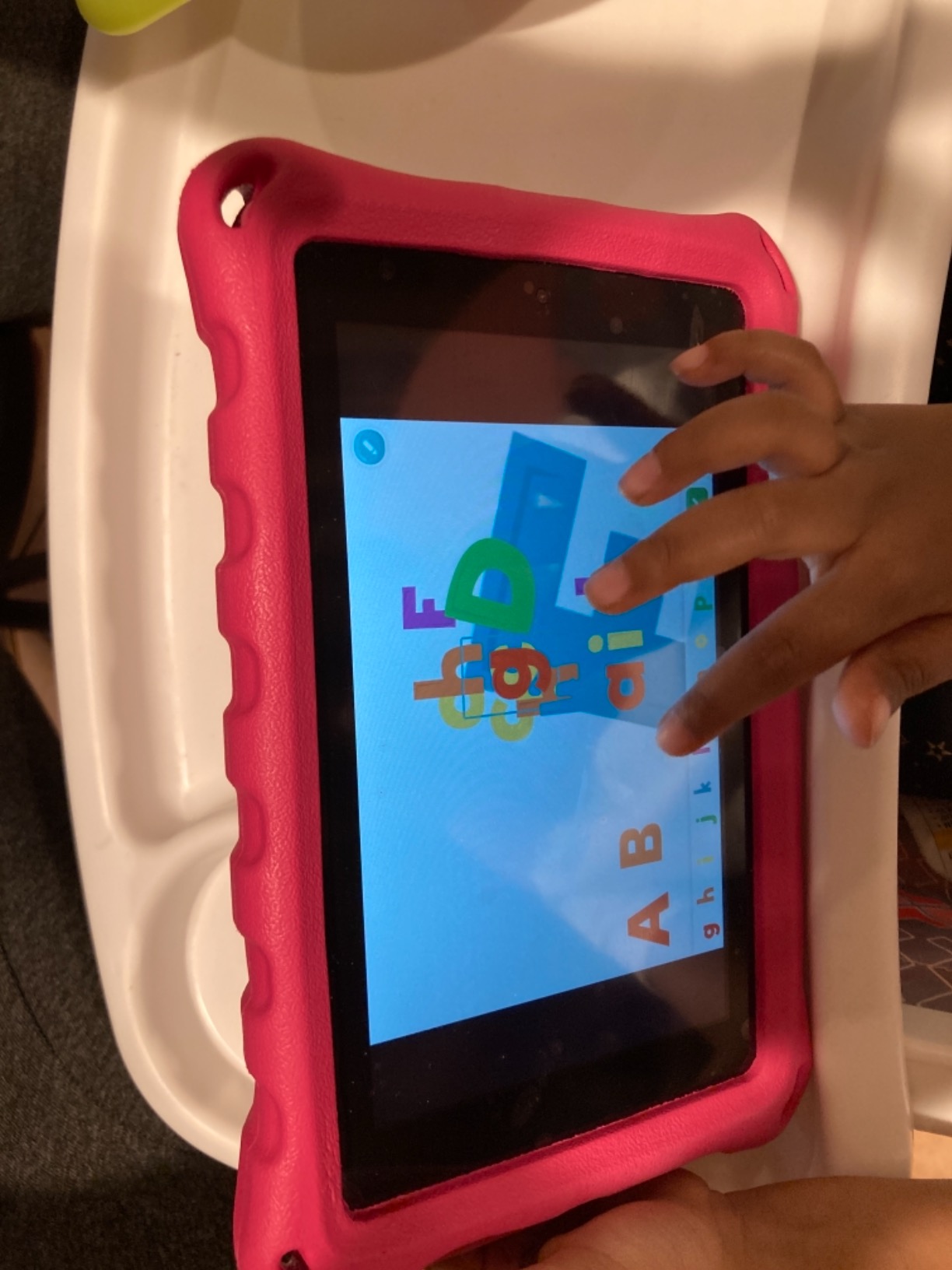
When I tested Khan Academy Kids with my four-year-old, the first thing she did was choose a stuffed animal guide and start drawing letters. The app guides children through a personalized learning path that adapts to their level, which felt different from the linear tracks most other apps force you into. After three weeks of consistent use, she could recognize 14 new sight words without prompting.
The library is genuinely wide. It includes phonics, letter tracing, early math, science activities, social-emotional lessons, and even logic puzzles. For a four-year-old, that variety matters because attention shifts quickly. When she got bored with the alphabet section, I could switch to a counting game or a storybook in two taps. The narration is warm, the characters are friendly, and the whole experience feels like a calm classroom rather than a noisy arcade.
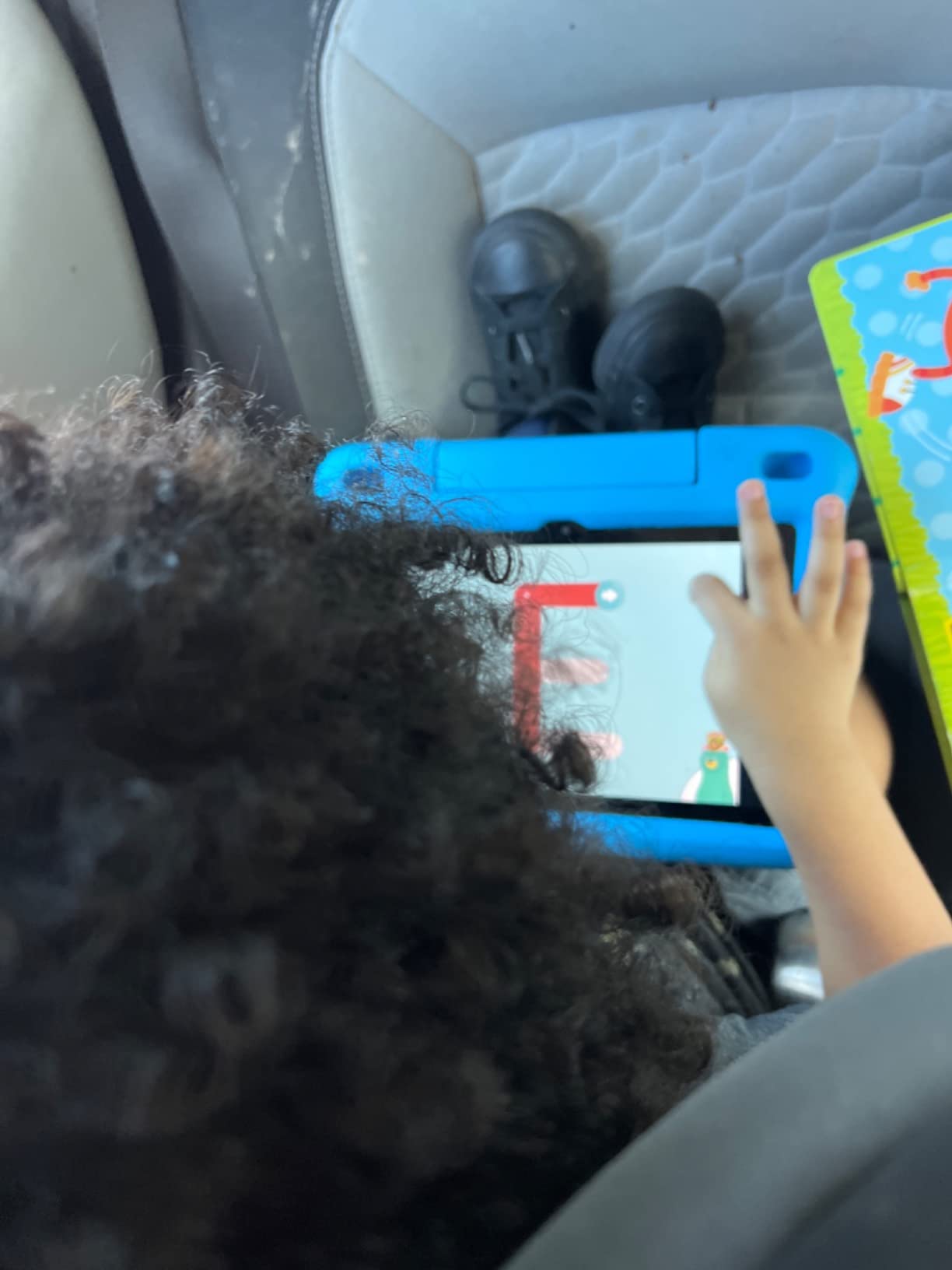
What sets Khan Academy Kids apart from other free reading apps for 4-year-olds is the lack of monetization. There are no pop-up ads, no locked content begging you to upgrade, and no fake currency dangling in front of your child. As a parent, that changed how I felt about handing over the tablet. I could let her explore for 20 minutes and know she would not accidentally buy something or see something inappropriate.
The parent section is functional, not flashy. You can see progress, time spent, and skills practiced, but it does not push notifications at you or pressure you to extend sessions. For a household that wants to use reading apps as a supplement to physical books, this balance is exactly right.
For Whom It Works Best
Khan Academy Kids is the right pick if you want a completely free, ad-free foundation that grows with your child from age four into kindergarten and beyond. It is also my top recommendation for parents who feel guilty about screen time, because the educational value is genuinely strong and the experience is gentle.
It is less ideal if you want highly structured phonics progression with clear levels, or if your child needs heavy gamification to stay engaged. Some kids bounce off it because the pace feels quiet compared to louder apps. Mine happens to love that quiet pace, but I have seen other four-year-olds prefer flashier options.
How It Compares to Competitors
Versus ABCmouse, Khan Academy Kids is more open-ended and less reward-driven, which I personally prefer but which might not work for every child. Versus HOMER Reading, it is less focused on reading specifically, but covers more subjects overall. For pure reading instruction you might layer in a phonics-focused app later, but as the daily-driver free option, nothing beats it.
2. HOMER Reading: Learn to Read — Best for Building Confidence
HOMER Reading: Learn to Read
Adaptive reading program
Phonics plus sight words
Stories matched to level
Pros
- Effective for children with ADHD and diverse learners
- Covers reading
- spelling
- stories
- and activities
- Catchy animations keep attention
- Lessons adapt to child's level
- Children progress from 2-letter to 4-letter words
- Good variety of games
Cons
- Subscription needed for full functionality despite free download
- May not work on Fire tablets in child profile
- Some users report loading issues on Fire devices
- In-app purchase requires adult authorization
I added HOMER Reading to the rotation because so many parents in homeschool forums said it changed their reluctant reader’s outlook. In our testing, my daughter gravitated toward the dinosaur adventure stories and the personalized avatar system. Within two weeks she was sounding out short three-letter words on her own during bath time, which felt like a small miracle.
The app builds skills in a layered way. It starts with letter recognition, moves into letter sounds, blends sounds into simple words, and eventually pushes into short stories. What I appreciate most is that the difficulty scales to your child rather than locking you into a grade level. A four-year-old who already knows some letters is not stuck practicing the alphabet for weeks.
HOMER also includes a parent dashboard that shows what your child worked on, how long they spent, and what skills they touched. The interface is dated compared to newer apps, but the content quality is high. There is a real learning science team behind the curriculum, and that shows up in how cleanly the lessons build on each other.
For Whom It Works Best
HOMER is ideal for four-year-olds who have started resisting books or who seem bored by apps that feel too repetitive. It is also excellent for children with attention differences because the lessons break into shorter chunks and switch activities quickly. I would recommend it for any child whose parent wants a research-informed curriculum that adapts in real time.
It is less ideal if you are looking for a free reading app for a 4-year-old with no subscription. HOMER’s full library lives behind a paywall, and the free trial only shows a fraction of what is available. Parents on a tight budget will get more mileage out of Khan Academy Kids or Starfall first.
How It Compares to Competitors
Compared to ABCmouse, HOMER is more focused on early reading specifically, while ABCmouse spreads across many subjects. Compared to Starfall, HOMER offers more adaptive difficulty and a richer parent experience. If your four-year-old is a beginning reader and you are willing to pay for a subscription, this is one of the strongest options available.
3. Starfall Learn To Read — Best for Phonics Foundation
Starfall Learn To Read
Progressive phonics approach
Teacher-built curriculum
Free tier available
Pros
- Builds confidence in early reading
- Teaches letter sounds and phonics effectively
- Great complement to printed workbooks
- Progressive learning through vowel sounds
- Great for on-the-go learning
- Teacher recommended for decades
Cons
- Multiple Starfall apps required for full content
- Premium membership is more expensive than competitors
- Some customer service complaints
- Limited features without paid membership
Starfall is one of the oldest names in phonics education for young learners, and that heritage shows. The app teaches letter sounds in a logical progression, starting with consonants, then short vowels, then blends. I used it with my four-year-old as a 10-minute daily warm-up before reading a physical book, and it functioned almost like a tutor sitting between us.
What surprised me about Starfall was how direct the phonics instruction is. Many apps call themselves phonics apps but really just teach letter names. Starfall actually focuses on letter-sound correspondence, which is the building block researchers say matters most for early readers. The animations are simple but clear, and the pace is gentle enough that a four-year-old can follow without feeling rushed.
The free tier covers a substantial amount of content, but the most valuable reading lessons live behind the Starfall membership. If you only want one app and you want it to focus strictly on phonics, the membership is worth considering. If you want a richer multimedia experience, this might feel too quiet compared to brighter apps like Khan Academy Kids or PBS KIDS.
For Whom It Works Best
Starfall is the right pick for parents who want a focused, no-frills phonics curriculum without distractions. It is especially good for four-year-olds who are just starting to connect letters to sounds, or who need extra practice blending simple words. It is also ideal for homeschool families who want to mirror what is happening in early elementary classrooms.
It is less ideal if your child needs high-energy gamification to stay engaged, or if you want a single app to cover every subject. The minimalist design is intentional but might lose children who are used to brighter apps.
How It Compares to Competitors
Compared to HOMER Reading, Starfall is more traditional and less adaptive. Compared to ABC Kids, it goes deeper into phonics rather than just letter names. For a pure phonics foundation with a teacher-built pedigree, this is hard to beat among the best reading apps for a 4-year-old.
4. ABCmouse Early Learning Academy — Most Comprehensive Curriculum
Early Learning Academy
Full preschool to 2nd grade curriculum
10,000+ activities
Subscription based
Pros
- Comprehensive early learning curriculum
- Covers reading
- math
- art
- and more
- Fun rewards system with tickets and shopping
- Age-appropriate content for preschool and kindergarten
- Tracks progress across multiple levels
- Works across tablets and devices
Cons
- Subscription is $9.99/month which adds up
- Cancellation process is difficult and lengthy
- Levels are not independently adjustable across subjects
- Some activities are slow or repetitive
- Limited offline functionality
ABCmouse was the first reading app I ever paid for, and after a year of use I understand why families stick with it. The curriculum is genuinely comprehensive. My four-year-old could work on letter tracing one day, count to 20 the next, and listen to read-aloud storybooks the day after. It felt like a preschool in app form.
The reward system is what keeps kids coming back. Children earn tickets for completing activities, then spend those tickets decorating a virtual classroom or adopting a pet. My daughter spent 15 minutes one afternoon just rearranging her virtual fish tank because she had earned enough tickets. That kind of intrinsic motivation is rare in educational apps.
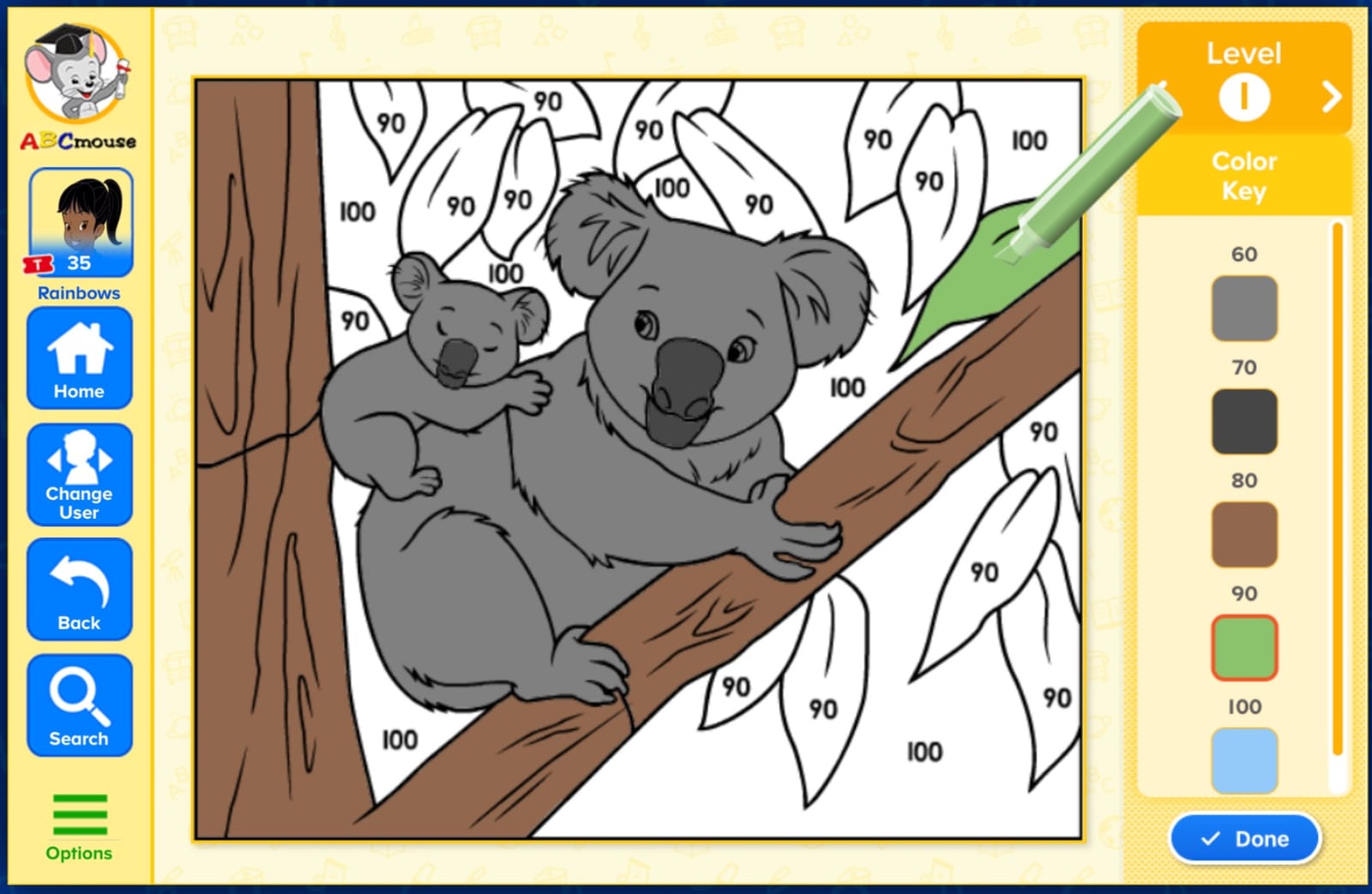
The reading path is structured and clear. It moves from recognizing letters, to letter sounds, to sight words, to simple sentences, to early storybooks. Because the app tracks her progress, I always knew exactly what skill she was working on. For parents who want a single subscription that covers reading plus everything else, ABCmouse delivers a strong package.
The biggest drawback is the cancellation process. Parents across forums report having to call in or jump through hoops to cancel, and the auto-renewal is aggressive. Once you know to cancel a few days before the renewal date, it is manageable, but I wish the in-app cancellation were as smooth as the lessons themselves.
For Whom It Works Best
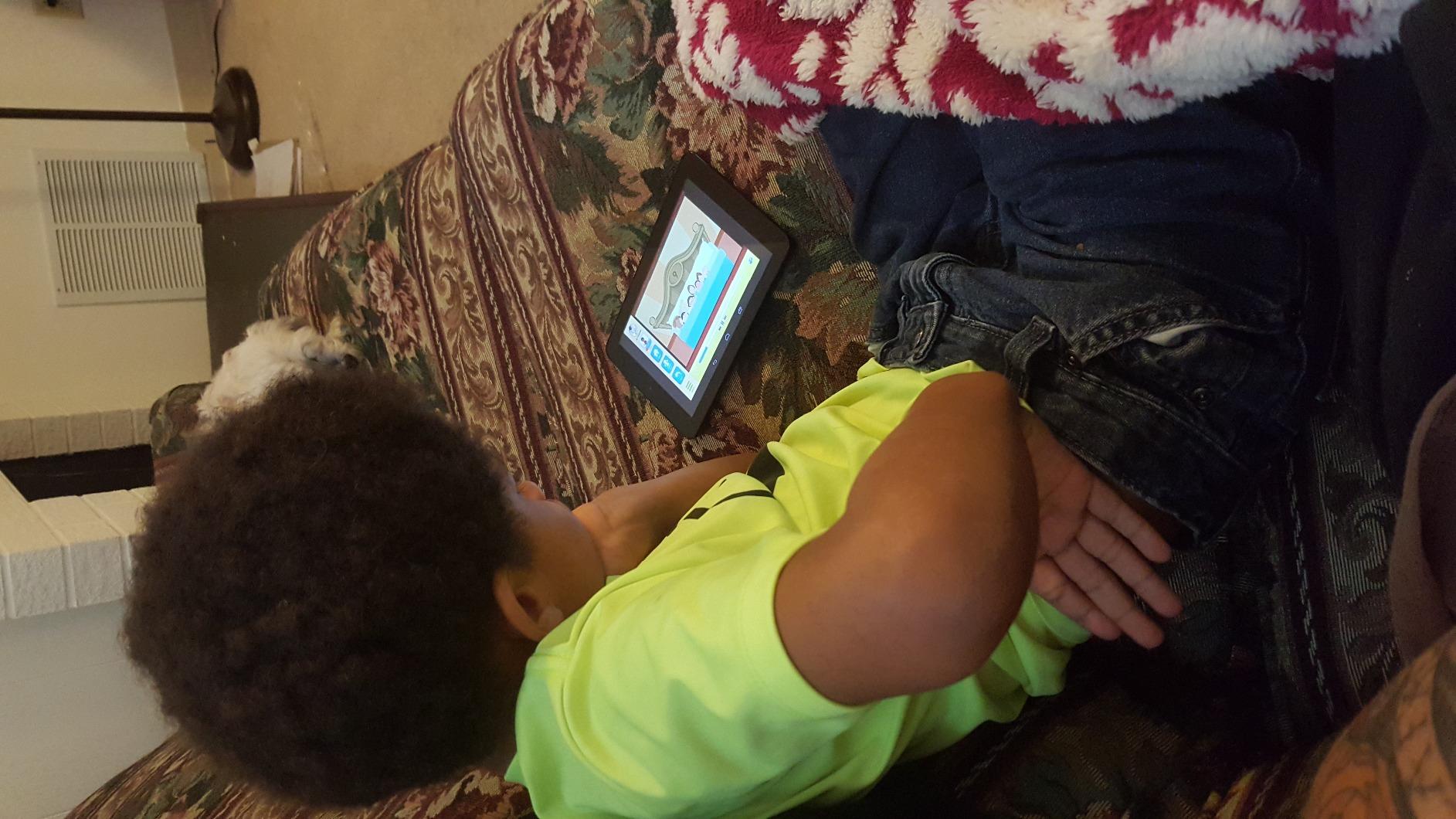
ABCmouse is ideal for families who want one subscription that covers reading, math, art, science, and music for multiple children. It is great for four-year-olds who love reward systems and gamification. It is also a strong choice for parents who want a clear learning path with measurable progress.
It is less ideal if you are strictly looking for free reading apps for 4-year-olds. The $9.99 monthly subscription adds up to about $120 per year, and the locked levels for math and reading cannot be separated. If you only want reading instruction, you will pay for content your child will not use yet.
How It Compares to Competitors
Compared to Khan Academy Kids, ABCmouse offers a more structured curriculum but costs money. Compared to HOMER Reading, it covers more subjects but is less adaptive to specific reading struggles. For breadth and engagement in a paid subscription, ABCmouse remains a top contender among reading apps for 4-year-olds.
5. ABC Kids – Tracing & Phonics — Best Letter Tracing App
ABC Kids – Tracing & Phonics
Letter tracing and phonics
Fully free with no ads
Designed for preschool ages
Pros
- Completely free with no ads
- No upselling or in-app purchases
- Great for letter tracing and phonics
- Helps children learn letter names and sounds
- Easy for young children to navigate independently
- Colorful animations and rewards
Cons
- Focuses more on letter names than true phonics
- Tracing mode can occasionally stall
- Some activities lack variety
- Background music glitches reported in some updates
- Long vowel sound handling is weak
ABC Kids by RV App Studios is the app I recommend most often to friends who just want something simple, free, and trustworthy for their four-year-old. My daughter used the tracing section for months before moving on to the phonics games. The drag-and-trace mechanic is forgiving enough that even tiny hands can succeed, which matters when you are trying to build confidence rather than frustration.
The app structure is straightforward. There is a letter-tracing game for uppercase and lowercase letters, a phonics matching game, and a spelling mini-game. Each section rewards children with colorful animations and cheerful sound effects. There is no failure state, no timer, and no pressure. That tone is what makes it one of the best reading apps for a 4-year-old who is just starting to hold a stylus or finger.
What I appreciate most is the price. It is genuinely 100% free with no ads and no in-app purchases. As a parent who has been burned by “free” apps that turn into sales pitches, I trust this one. The developer makes money elsewhere and treats this as a public service, which is increasingly rare in the kids’ app space.
For Whom It Works Best
This app is ideal for four-year-olds who are still learning to recognize letters and form them with their finger or stylus. It is great for parents who want a zero-cost, zero-pressure starting point before moving on to more advanced apps. It also works well as a quick warm-up before reading a physical book.
It is less ideal if you want deep phonics instruction with systematic blending practice. The app leans toward letter names and basic sounds rather than full decoding work. It also lacks a true parent dashboard, so progress tracking is mostly observational.
How It Compares to Competitors
Compared to Khan Academy Kids, ABC Kids is much simpler and more focused on letter formation. Compared to Duck Duck Moose Reading, it teaches letter names where Duck Duck Moose teaches sounds. For pure handwriting and letter recognition practice, this is one of the strongest free picks available.
6. PBS KIDS Games — Best for Character-Based Learning
PBS KIDS Games
Familiar PBS characters
100+ educational games
Free with no ads
Pros
- No annoying ads anywhere
- Educational and genuinely fun
- Favorite character recognition engages kids
- No membership required to play more games
- Works well for toddlers and young children
Cons
- Some game glitches and freezing on Kindle devices
- Limited game selection per individual character
If your four-year-old already loves Daniel Tiger, Curious George, or Wild Kratts, PBS KIDS Games turns that excitement into real learning. The app pulls together dozens of mini-games from the PBS KIDS catalog, organized by character. My daughter spent an entire rainy afternoon completing jigsaw puzzles with Daniel Tiger and matching letters with Super Why.
What makes PBS KIDS Games stand out among reading apps for 4-year-olds is the production quality. These are the same animations and voice actors your child sees on television, which makes the transition from passive watching to active playing feel seamless. The mini-games are short, colorful, and respectful of how attention works at this age.
There are no ads, no upsells, and no locked content. Everything in the app is available the moment you download it. That makes it one of the best free reading apps for a 4-year-old, especially for families who already trust the PBS brand for educational programming.
For Whom It Works Best
PBS KIDS Games is perfect for four-year-olds who respond strongly to familiar characters. If your child already watches PBS shows, they will jump into the app with delight. It is also ideal for parents who want free, ad-free, trustworthy content without a subscription.
It is less ideal if you want a structured, sequential reading curriculum. The games are organized by character rather than by skill progression, so you cannot simply tap “next lesson” and trust the order. You have to choose activities yourself, which works for some families and frustrates others.
How It Compares to Competitors
Compared to Khan Academy Kids, PBS KIDS Games is more entertainment-driven and less academically structured. Compared to ABCmouse, it is free where ABCmouse is paid. If character recognition is your child’s love language, this is the best free reading app for a 4-year-old in your house.
7. KidloLand Nursery Rhymes & Songs — Best for Mixed-Age Families
Kids Learning Games, ABC For Preschool Toddlers 2-4 year olds, KidloLand Nursery Rhymes, Songs
Nursery rhymes plus learning games
Offline play after download
Works for ages 2 to 4
Pros
- Excellent customer service team
- No paywalls once subscribed
- Offline play available after download
- Wide variety of games for different age ranges
- Good learning tools from ABCs to puzzles
- No ads inside the app
Cons
- Requires paid subscription for full access
- Some language options don't fully translate
- Games occasionally freeze and need restart
- Initial hiccups after major updates
KidloLand Nursery Rhymes hit different for me because I have a two-year-old and a four-year-old sharing the same tablet. The app includes classic nursery rhymes, songs, and simple learning games that work for both of them. I could let my older daughter practice letter sounds while my younger daughter danced to “Wheels on the Bus,” and neither felt bored or left out.
The offline play feature is the unsung hero of this app. After the initial download, my kids could use it on long car rides, airplane trips, or anywhere Wi-Fi was spotty. For families who travel or who have limited connectivity, that is a meaningful advantage over cloud-dependent apps.
What I appreciate most is the lack of ads. Once you subscribe, the entire experience is uninterrupted. The customer support team is also responsive, which I learned when an update caused a glitch and they fixed it within a day. That kind of service is rare in children’s apps.
For Whom It Works Best
KidloLand Nursery Rhymes is ideal for households with multiple young children of different ages. If you have a toddler and a four-year-old sharing a device, this app serves both. It is also great for families who want offline access for travel or commuting.
It is less ideal if you want deep reading instruction specifically. The reading content is present but is one piece of a much broader curriculum. For pure reading apps for 4-year-olds, this is more of a supplementary choice than a primary one.
How It Compares to Competitors
Compared to ABCmouse, KidloLand Nursery Rhymes is broader in age range but shallower in curriculum. Compared to Khan Academy Kids, it is more entertainment-focused but costs money where Khan is free. For a subscription that covers multiple ages and works offline, this is one of the more flexible picks.
8. KidloLand Preschool Games 650+ — Most Variety
Preschool Games for 2-5 Year Olds – Kids Learning App for Toddlers With 650+ Educational Games
650+ educational games
Offline capable
Covers preschool subjects
Pros
- 650+ educational games included
- Works offline after initial download
- Good for learning colors
- ABCs
- and more
- Children find it engaging and fun
- Good value for the subscription price
Cons
- App prompts for ratings too frequently
- Requires subscription for most content
- Some slow response time reported
- Perceived as cash-grabby by some users
If variety matters most to your family, the KidloLand Preschool Games app delivers more than 650 activities spanning math, reading, coloring, puzzles, and more. My daughter spent a full week without repeating a game, which is unusual for a four-year-old. The library keeps expanding as she unlocks new categories.
The offline capability works exactly as advertised. After the first download, the app runs without Wi-Fi, which makes it a reliable choice for car rides, restaurants, or waiting rooms. I have come to consider offline play a non-negotiable feature for any app my kids use regularly.
The app does prompt for ratings more often than I would like, sometimes right after a lesson, which interrupts the flow. Once you dismiss the prompt, it disappears for a while. It is a minor annoyance but worth noting if uninterrupted learning matters to you.
For Whom It Works Best
This app is ideal for parents who want the broadest possible content library for a four-year-old, especially if their child finishes games quickly and craves novelty. It is also strong for families who need offline play and want a single subscription that covers many subjects.
It is less ideal if you want focused reading instruction. With 650+ games, the reading content is one slice of a much larger pie. For reading-specific goals, you would still want to layer in a phonics-focused app.
How It Compares to Competitors
Compared to ABCmouse, this app offers more games but less curriculum depth. Compared to PBS KIDS Games, it costs money but has more variety. For sheer volume of activities, this is one of the most expansive reading apps for 4-year-olds on subscription.
9. Duck Duck Moose Reading — Best Pure Phonics Practice
Duck Duck Moose Reading
Pure phonics practice
Cute animal characters
100% free and ad-free
Pros
- Excellent phonics practice for early readers
- Clear North American English accent
- Fun animal interactions keep kids engaged
- No ads or inappropriate content anywhere
- Works well for ages 2.5 and up
- Predictable and bug-free experience
Cons
- Narration occasionally doesn't trigger
- Limited to three-letter words
- Older app with simpler visual design
Duck Duck Moose Reading is now owned by Khan Academy and is offered completely free, which feels almost too good to be true. The app focuses exclusively on phonics, walking children through letter sounds, blending, and three-letter word formation. My four-year-old used it for 5 to 10 minutes a day as a quick phonics drill, and the focused design kept her attention without overwhelming her.
The narration uses a clear North American English accent, which is important for phonics instruction. Children hear the sounds pronounced correctly and consistently. The animal characters are friendly, and each activity feels like a small puzzle rather than a lesson.
The app is intentionally narrow. It only covers three-letter words and basic phonics, which means your child will outgrow it within months. But for the window when they are exactly learning those skills, it is one of the best reading apps for a 4-year-old focused on phonics fundamentals.
For Whom It Works Best
This app is ideal for parents who want focused phonics practice without distractions or upsells. It is perfect for four-year-olds who are sounding out their first words and need quick, repeated practice. It also works well as a complement to a broader curriculum like Khan Academy Kids.
It is less ideal if you want a long-term reading curriculum. The narrow scope means your child will master it and need to move on. It is also visually dated, which might not appeal to kids who are used to brighter apps.
How It Compares to Competitors
Compared to Starfall, Duck Duck Moose Reading is narrower but cleaner and more focused. Compared to ABC Kids, it teaches letter sounds where ABC Kids leans toward letter names. For pure phonics drilling with no strings attached, this is a hidden gem among reading apps for 4-year-olds.
10. Kids Learn to Read FREE — Best Sight Words Starter
Kids Learn to Read FREE
Sight word focus
Engaging turtle character
Free tier available
Pros
- Good for sounding out words
- Bright colors and engaging turtle character
- Encouraging for stubborn children
- Helps with sight words
- Interactive and fun experience
Cons
- Daily books feature doesn't work for some users
- Accessibility issues with screen reader
- Levels beyond the free tier require purchase
Kids Learn to Read by Intellijoy uses a charming turtle character to walk children through basic sight words and sounding out exercises. My four-year-old gravitated to the turtle immediately, and the gentle pacing worked well for the 5 to 10 minute sessions I wanted to fit into our morning routine. It is a no-fuss app that delivers exactly what it promises.
The free tier covers enough content to give a four-year-old a real introduction to sight words. Beyond that, additional levels require in-app purchases. For parents who want to test the waters before committing, this is a reasonable starting point.
Some users report accessibility issues with screen readers, which is worth noting if your child uses assistive technology. For most four-year-olds using the app through touch and sound, however, the experience works smoothly.
For Whom It Works Best
This app is ideal for parents who want a simple, low-pressure way to introduce sight words to a four-year-old. It is also good for kids who respond well to a single friendly character guiding them through activities. If you want to try a reading app before committing to a subscription, this is a fair place to start.
It is less ideal if you want a long-term reading curriculum with adaptive difficulty. The app has limited depth in the free tier and requires purchases for ongoing use. For sustained learning, you would likely want to upgrade to Khan Academy Kids or another free full-featured option.
How It Compares to Competitors
Compared to Duck Duck Moose Reading, this app focuses more on sight words and less on phonics sounds. Compared to HOMER Reading, it is simpler and less adaptive. As a low-cost introduction to sight words among reading apps for 4-year-olds, it earns its place on the list.
How to Choose the Right Reading App for Your 4-Year-Old
Not every reading app fits every child, and that is okay. The most important thing is matching the app to your child’s current skills, attention style, and your family’s screen time values. Here are the factors I considered when testing each app on this list.
Reading Readiness Checklist for Age 4
Before downloading an app, take a minute to gauge where your four-year-old actually sits on the reading readiness spectrum. Children at this age vary enormously, and the right app depends on the starting point. Look for these signs:
- Recognizes most or all uppercase letters
- Understands that letters represent sounds
- Sits through a 10-minute picture book without losing focus
- Asks what written words say
- Can hold a pencil or stylus with reasonable control
If your child checks most of these boxes, they are ready for a phonics-focused app like Starfall, Duck Duck Moose, or HOMER. If they are still mastering letter names, start with ABC Kids or Khan Academy Kids. If they are showing advanced readiness, look for an app that introduces sight words and short sentences.
Free vs Paid: What Actually Matters
Free reading apps for 4-year-olds have come a long way. Khan Academy Kids, ABC Kids, PBS KIDS Games, Starfall, and Duck Duck Moose Reading all offer substantial free content. None of them will pressure you to upgrade mid-lesson, and all of them avoid the worst ad practices of the broader app ecosystem.
Paid apps make sense when you want adaptive difficulty (HOMER), a structured full curriculum (ABCmouse), or a library that grows with your child across multiple subjects (KidloLand). The break-even math is roughly this: if your child uses the app 3 or more times a week, a subscription typically pays for itself in learning value compared to free options.
What I would avoid is apps that hide most of their content behind a subscription while marketing themselves as free. HOMER does this to some extent, and so do the KidloLand apps. Read the fine print before downloading if cost matters to your family.
Screen Time Balance at Age 4
The American Academy of Pediatrics recommends no more than one hour per day of high-quality screen time for children ages 2 to 5. Reading apps absolutely count toward that budget. In our house, we treat reading app time as a 15 to 20 minute focused block, ideally with a parent nearby to chat about what the app is teaching.
Apps with strong parent dashboards help here because they let you see exactly what your child worked on and for how long. Khan Academy Kids, HOMER, and ABCmouse all offer this. Pair that with a simple timer on the tablet, and you can hit the right balance without hovering.
The biggest mistake I see parents make is using reading apps as a babysitter for hours at a time. The learning returns drop off sharply after 20 minutes for most four-year-olds, and the screen time guilt that follows is not worth it. Use the apps as a focused learning tool, then transition to physical books, drawing, or outdoor play.
Reading Apps vs Physical Books
Reading apps should complement, not replace, physical books. At age four, children benefit enormously from the tactile experience of turning pages, pointing at words, and snuggling up with a parent to read aloud. The best apps reinforce what happens during those reading sessions rather than substituting for them.
In our routine, we use a reading app for 15 minutes in the morning as a phonics warm-up, then read physical picture books at bedtime. The app handles the structured skill work, the books handle the love-of-reading work, and both reinforce each other. That balance has worked better than leaning on either one alone.
Matching App Style to Your Child’s Temperament
Some four-year-olds respond to quiet, focused apps like Starfall and Duck Duck Moose. Others need the high-energy reward systems in ABCmouse or the bright character-driven world of PBS KIDS Games. Watch your child’s response during the first 10 minutes of any new app and trust what you see.
If your child gets frustrated easily, avoid apps with timers or fail states. If your child rushes through activities, look for an app that unlocks new content slowly rather than dumping everything at once. If your child loses interest quickly, lean toward apps with frequent activity switches, like HOMER or Khan Academy Kids.
Frequently Asked Questions
What is the best learning to read app for a 4-year-old?
Khan Academy Kids is my top pick for the best overall learning to read app for a 4-year-old because it is completely free, ad-free, and covers phonics, letter tracing, and early reading alongside math and science. For focused phonics practice, Starfall Learn To Read and Duck Duck Moose Reading are excellent choices. If you are willing to pay for a subscription, HOMER Reading offers the most adaptive reading instruction available.
How much screen time should a 4-year-old have with reading apps?
The American Academy of Pediatrics recommends no more than one hour of high-quality screen time per day for children ages 2 to 5. For reading apps specifically, 15 to 20 minutes of focused use tends to be the sweet spot for a four-year-old. Beyond that, attention and learning returns drop off. Pair the app session with a physical book and conversation about what your child learned.
Are reading apps effective for 4-year-olds?
Yes, when chosen carefully and used in moderation. Quality reading apps teach phonics, letter-sound correspondence, and sight word recognition through structured lessons that adapt to your child. They are most effective when paired with physical books and parent involvement. Apps that focus purely on gamification without teaching real skills tend to be less effective for actual reading progress.
Should I choose a free or paid reading app?
Free reading apps like Khan Academy Kids, ABC Kids, PBS KIDS Games, Starfall, and Duck Duck Moose Reading offer substantial educational value at no cost. Paid apps like HOMER and ABCmouse make sense if you want adaptive difficulty, a structured full curriculum, or a single subscription covering multiple subjects. Both categories can be effective. Start with a free option and upgrade only if your child needs more depth.
Can reading apps replace physical books?
No. Reading apps work best as a complement to physical books, not a replacement. At age four, children benefit from the tactile experience of turning pages, pointing at words, and reading aloud with a parent. Use apps for structured phonics practice and short skill-building sessions, then transition to physical picture books for love-of-reading moments. The combination produces stronger readers than either approach alone.
Final Thoughts
Choosing the best reading apps for a 4-year-old does not have to feel overwhelming. If I had to pick just one to start with, it would be Khan Academy Kids for its free, ad-free experience and broad curriculum. If you want a paid option that focuses deeply on reading, HOMER Reading is the strongest adaptive choice. And if you have a four-year-old who already loves Daniel Tiger or Curious George, PBS KIDS Games turns that existing enthusiasm into real learning without costing a cent.
The most important thing is to pick an app that matches your child’s current readiness, set a reasonable screen time limit, and pair the app with physical books. Do that and you will see real progress in letter recognition, phonics, and early reading confidence by the time kindergarten starts. Save your spot in the comments if you have questions about a specific app or want to share what worked for your four-year-old.